
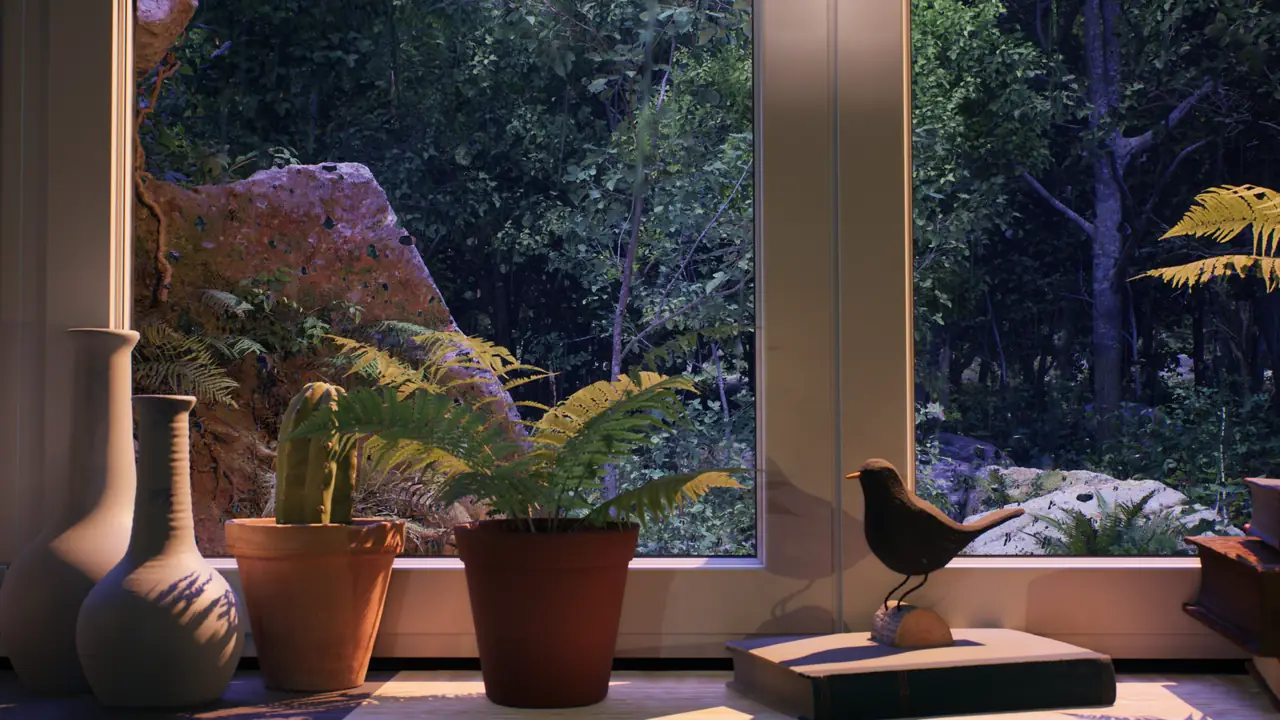
Virtual window videos turn a TV, monitor or projector wall into a calm view that behaves more like part of the room than ordinary entertainment. Instead of asking you to follow a story, a stable window composition can add depth, weather, distant light and a sense of outside space while you read, work, talk or settle into a quiet evening.
The effect is simple, but it is not automatic. A rainy city at full brightness can feel like a television program, while the same scene at a lower level beside a warm lamp can read as a distant view. Scene choice, screen position, room lighting, sound and the amount of movement all decide whether the image supports the room or dominates it.
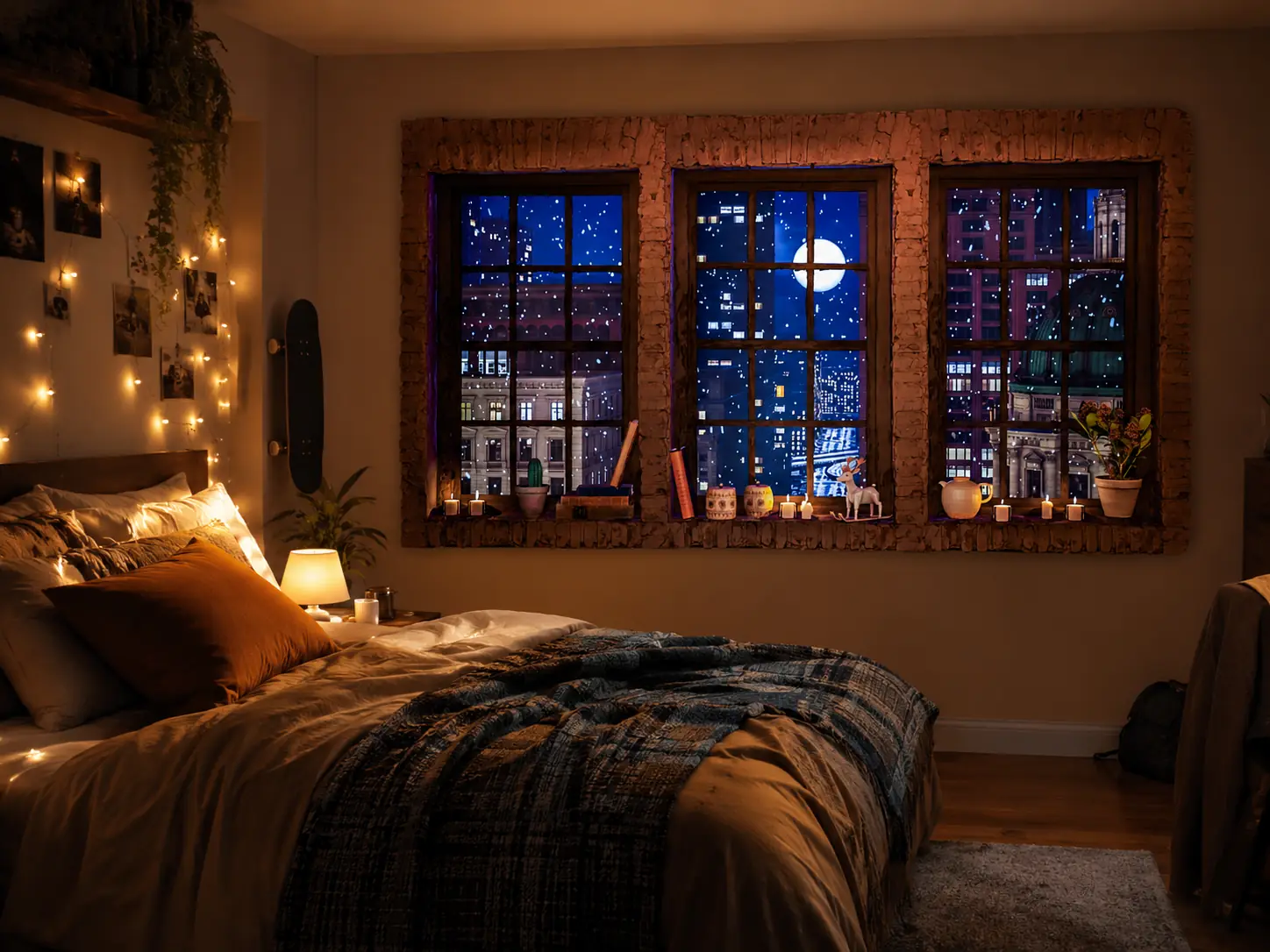
Why virtual window videos change the mood of a room
A screen already has the basic geometry of a window: a rectangle, a clear edge and a surface that can hold a view. When a video uses a fixed camera, readable foreground and distant background, that geometry becomes easier to accept as an opening rather than a device. Window frames, curtains, ledges, trees and horizons strengthen the impression because they provide familiar layers of depth.
Slow movement gives the image life without continuously resetting attention. Rain crossing glass, branches moving in wind, snow passing a streetlight, water shifting on a lake or distant city traffic can keep the view active while its overall composition remains stable. Fast cuts, moving cameras and sudden changes in color work against the effect because they remind the room that a video is playing.
Different scenes alter the visual character of the same furniture. Cool forest light can make a desk feel quieter and more natural; an ocean horizon can make a compact wall feel less enclosed; rain and candlelight can create a sheltered evening mood; a gothic window can give a reading corner a deliberate autumn or fantasy identity. These are perceptual and decorative changes, not therapeutic claims. Whether a scene feels calming depends on the viewer, the activity and the way the display is adjusted.
Choosing the right virtual window video
Start with the mood you want the room to have. Decide whether the space needs shelter, openness, natural color, winter stillness, urban energy or a stronger themed identity. Then choose a scene family and test it at the time of day when it will actually be used.
Rainy window ambience
Rainy window ambience creates an inward, sheltered mood through wet glass, reflections and continuous weather. It suits bedrooms, reading corners and cozy living rooms, particularly in the evening. Rain sound can sit softly behind a book or conversation, but thunder and bright reflections may be too active for some rooms. Choose plain rainfall or a darker scene when you want less contrast. The Rain Ambience collection compares city, forest, lake and candlelit views, while the rain ambience for TV guide covers domestic setup in more detail.
Forest or nature window ambience
Forest scenes bring green depth, filtered daylight and gentle movement from leaves or weather. They work well in home offices, quiet bedrooms and reading spaces with wood, plants or matte textiles. A bright daytime forest can be useful beside a desk, but may become the strongest light source after sunset. Darker rainy forest views are easier to integrate at night. Browse Forest Ambience to compare the available light levels and compositions.
Ocean or lake window ambience
Water and a visible horizon can give a small room a broader visual direction. Ocean or lake scenes suit wall-facing sofas, meditation corners, spa-like rooms and compact spaces that need openness. Gentle water is usually more useful than dramatic waves, and a centered horizon can become distracting if it is too bright or placed at eye level for hours. The Ocean Ambience page explains the more cinematic water view currently available from the studio.
Snow window ambience
Snow creates soft motion, pale exterior light and a strong contrast with a warm indoor room. It is effective for winter evenings, calm decorative TV backgrounds and bedrooms with low amber lighting. White snow can still produce more light than expected, so reduce brightness and avoid a vivid picture mode. A snowy city also has a clear seasonal identity that may feel out of place outside the mood you intend. The Snow Ambience collection offers quieter winter options.
City window ambience
City windows add architecture, distant lights and restrained human movement. They suit apartments, evening living rooms and workspaces that already have metal, dark wood or contemporary details. Look for distant traffic rather than constant foreground action, and avoid signs or highlights that repeatedly pull the eye. A city view can feel elegant at low brightness but restless when saturation and motion processing are high. Explore City Ambience for rainy and evening scenes.
Fantasy, gothic or medieval window ambience
Fantasy and gothic scenes have a stronger visual identity: candlelight, stone, ruins and deep blue weather can shape the whole room. They fit gaming rooms, themed reading corners, creative studios and autumn or Halloween decor. The same character makes them less neutral for shared living spaces or professional waiting rooms. Keep the image restrained and let a few nearby materials, such as books, dark wood or a warm lamp, connect the scene to the room without turning the wall into a set.
TV, monitor or projector: which screen works best?
TV
A TV is the easiest choice for a virtual window in a bedroom or living room. It is already framed, bright enough for ordinary evening light and simple to control with a remote. Window-view compositions make the black bezel feel more plausible, especially when the screen is level and not surrounded by other glowing devices. The main adjustment is brightness: lower it enough that the display no longer feels set up for watching a movie.
Monitor
A monitor works for desks, small rooms, creative work and side ambience. It is most useful as a secondary view just outside the main task area, where it can provide visual distance without sitting behind text, calls or detailed work. Keep it muted or at low volume, check the viewing angle from the chair, and reduce brightness after dark. Its smaller scale feels less architectural, but it can make a compact corner more considered.
Projector
A projector can create the largest mood shift because the view appears directly on the wall. With controlled light and a moderate image size, projector window ambience can feel closer to an architectural opening than a television. It is also more sensitive to wall color, texture, ambient light, throw distance and alignment. An oversized image or a washed-out wall quickly weakens the effect. Use the fake window projection guide to plan placement, surface and scale before treating the whole wall as a screen.
How to make a virtual window feel natural
Begin with a calm picture preset. Vivid and Dynamic modes are designed to compete for attention, so Cinema, Filmmaker, Standard or a restrained custom mode is a better starting point. Lower the display until its brightest area feels related to the nearest lamp. Keep enough shadow detail to read the window frame and view; a screen that is too dark becomes a black rectangle rather than an opening.
Avoid strong reflections and place the screen where a window could plausibly exist. A wall at normal sight height usually works better than a TV close to the ceiling or near the floor. Watch from the chair, desk or bed that matters, then move lamps away from the direct reflection path. With a projector, keep doors and walking routes out of the beam.
Continuity matters as much as the image. Hide YouTube controls, menus, notifications, subtitles and progress bars once playback starts. Choose a long scene with a stable composition and check what autoplay will show afterward. A sleep timer is useful near bedtime, both to limit light and to prevent an unrelated recommendation from appearing later.
Sound is optional. Weather, water or room tone can add another layer, but it should sit behind the activity in the room. Start near mute and raise it only until it is gently present from the normal seat. For work, reading, dinner or conversation, a muted virtual window often provides enough screen ambience on its own.
Curtains beside the display, a simple shelf, plants, books, wood, textiles and matte surfaces can connect the frame to the interior. Use only what already makes sense for the room. Too many props around the screen make the setup feel staged and can replace calm with clutter.
Best rooms and use cases for virtual window videos
Bedroom
A virtual window for a bedroom should use darker scenes, slow movement and little contrast. Lower the display before getting into bed, keep sound low or muted and set a timer. Rain, snow and distant city light are easier to live with than bright daytime landscapes. Treat the video as one part of an evening atmosphere, not as a sleep cure.
Living room
A virtual window for a living room can support larger city, rain, lake, forest or candlelight ambience scenes. Use it during conversation, reading, dinner or a quiet evening when ordinary television would be too active. Check the composition from several seats and keep the screen below the brightness of the room's main lamps.
Home office
For a virtual window in an office, use a side screen or secondary monitor rather than your main work screen. Forest, rain, ocean and quiet city scenes offer depth with limited movement. Keep volume very low or muted so the ambience does not mask calls or alerts, and avoid a bright horizon directly beside text.
Reading corner
A reading corner works best when the scene relates to the chair and lamp. Forest, rain, gothic, snow and lake views each create a different tone, but the image should remain beyond the page rather than beside it. Strong reflections or moving highlights close to the book can become tiring even when the scene itself is slow.
Windowless room or bad view
A blank basement wall, a room facing another building or a compact interior space can gain apparent depth from a clear window composition without renovation. A moderate screen with a readable horizon often works better than an enormous image. It does not replace daylight or ventilation, but it can make an idle wall more useful. The guide to windowless room ideas combines virtual windows with lighting, mirrors and materials.
Hotel, spa or waiting room
In shared or professional spaces, virtual window videos should remain a soft ambience layer. Choose stable, elegant rain, forest, ocean or city scenes and avoid loud audio, dramatic fantasy imagery or visible characters that demand attention. Visitors should not need to watch the screen for the room to feel complete. The Hotels & Spas guide covers placement and scene choice for hospitality and wellness settings.
A simple virtual window setup routine
- Choose the mood first: rain, forest, ocean, snow, city, candlelight or fantasy.
- Pick the screen that fits the room: TV, monitor or projector.
- Start playback before dimming the room.
- Set a calm picture mode and lower brightness.
- Keep sound low enough to sit behind the activity.
- Hide controls, menus and notifications.
- Adjust the room lighting around the screen.
- Use a timer for bedtime or long sessions.
Small adjustments matter more than specialized equipment. Change one element at a time, then judge the result from the place where the room is actually used. A familiar screen, a stable long-form scene and controlled light are usually enough.
Finding the right virtual window for your room
The best virtual window is not always the most spectacular one. It supports the room without taking it over: a rainy city behind dinner, a forest beside a desk, a lake beyond a reading chair or slow snow in a dim bedroom. The useful choice still feels comfortable after the novelty has passed.
Browse all Window Ambience Studio videos to compare the full catalog, or use the best fake window videos collection for a focused guide to rain, forest, city, snow, ocean, candlelight and fantasy scenes.
Mini FAQ
What is a virtual window video?
A virtual window video is a long-form ambience video displayed on a TV, monitor or projector to suggest a window view or outside scene. It usually uses a stable composition and slow movement so it can remain in the background.
Can I use a TV as a virtual window?
Yes. Choose a stable window-view scene, lower the TV brightness and place the screen where it feels related to the room. Hiding controls and matching the image to nearby lamps helps the television behave more like part of the interior.
Are virtual window videos only for relaxation?
No. They can support decor, reading, quiet work, conversation, gaming setups, hotel or spa ambience and rooms without a useful view. The scene and sound level should match the activity.
What kind of virtual window video is best for a bedroom?
Choose a darker, slower scene with minimal contrast, low or muted sound and a sleep timer. Rain, snow and distant night views are often easier to integrate than bright daytime landscapes.
Can I use a projector for a fake window effect?
Yes. A projector can make the view feel more architectural, but wall color, ambient light, throw distance, alignment and image size all affect the result. Keep the image moderate and use a clean matte surface.
Do virtual window videos need sound?
No. Sound can add weather or atmosphere, but a muted video is often enough for work, reading, dinner or conversation. When sound is used, keep it below the main activity in the room.
Explore long-form ambience scenes on the Window Ambience Studio channel.
Watch on YouTube →