
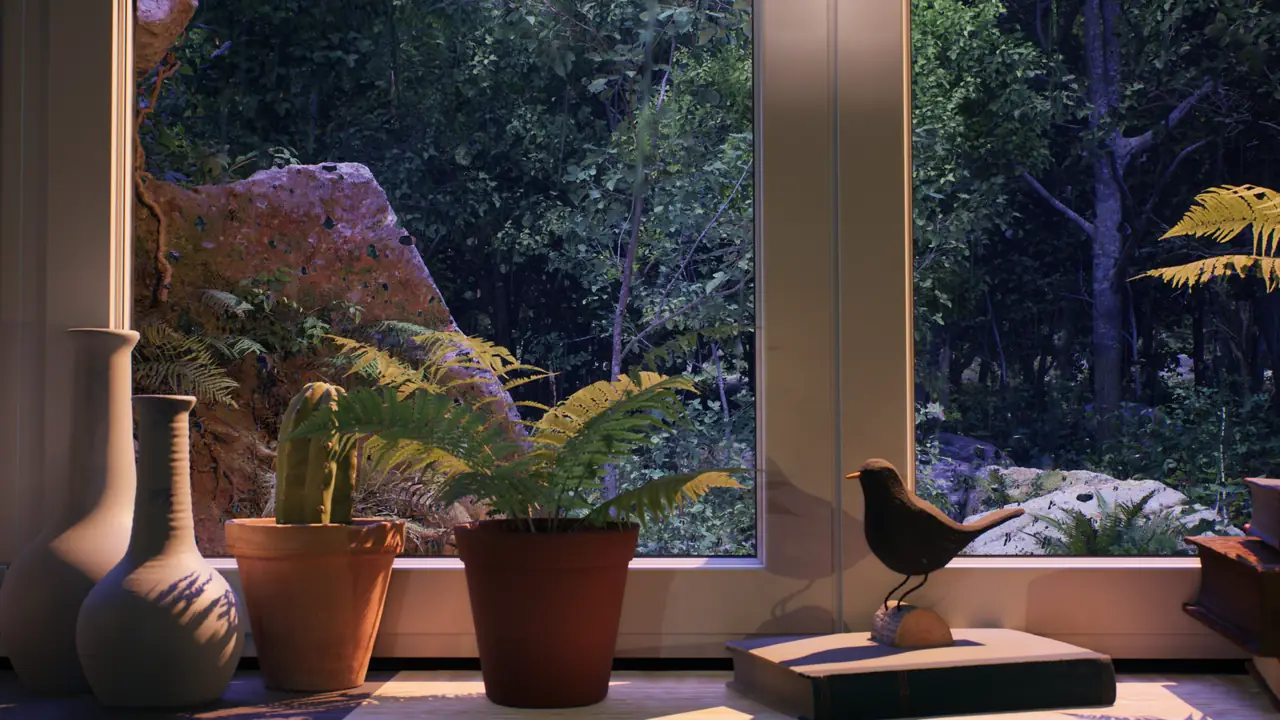
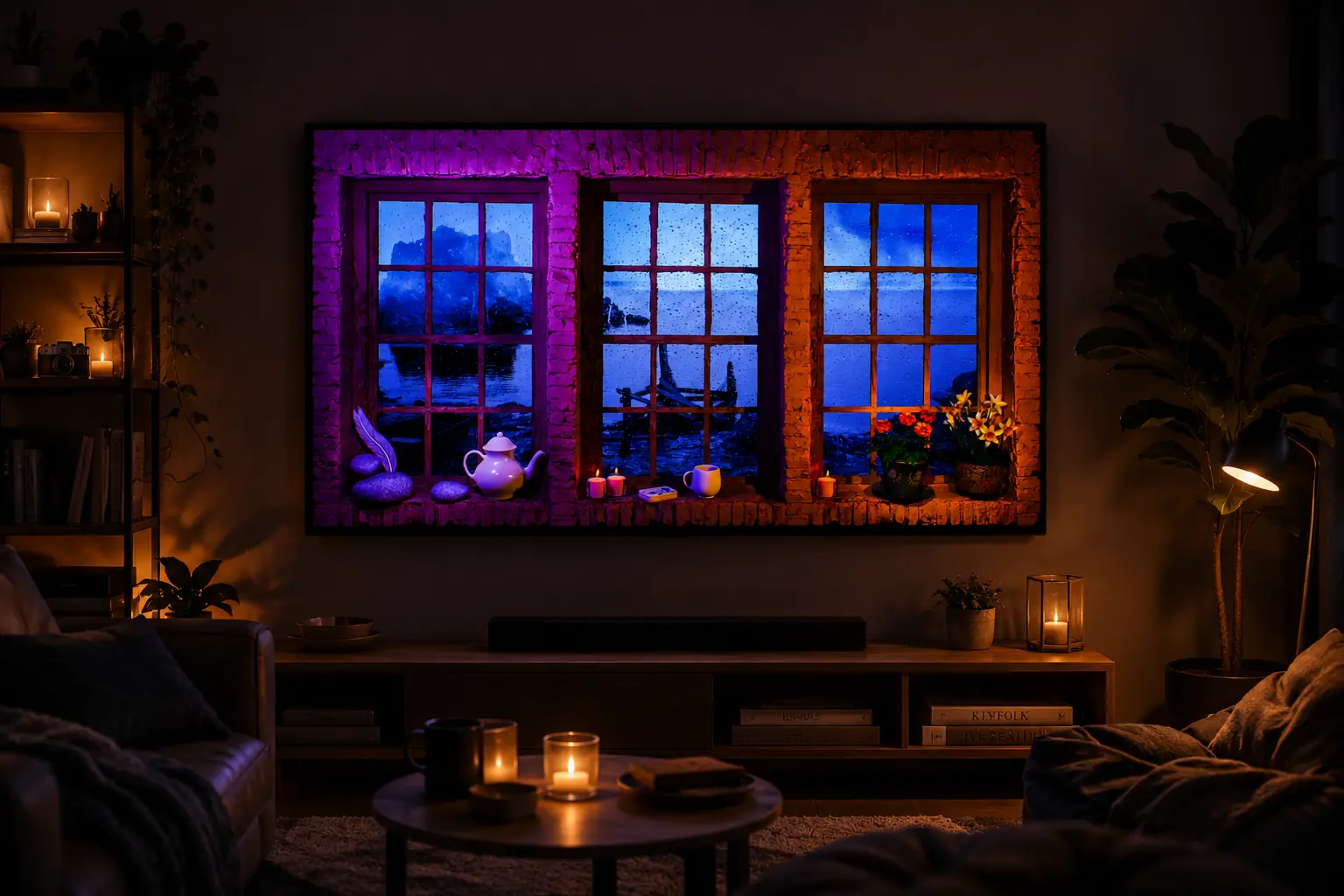
Rain ambience for TV works best when the screen stops feeling like a device that needs attention and starts behaving like part of the room. A steady rainy window, a quiet city street or a forest seen through wet glass gives the eye gentle movement without asking you to follow a story. The result can support sleep, reading, conversation, focused work or a slow evening at home.
The setup does not need to be elaborate. The choice of scene matters, but so do screen brightness, sound level, viewing distance and the light already present in the room. A carefully adjusted TV can suggest a calm virtual window; the same video at full brightness and high volume can feel like ordinary entertainment playing in the background.
This guide explains why rain is so effective on a screen, how to choose among the rain scenes from Window Ambience Studio, how to adjust a TV or projector, and how to make the image feel at home in different rooms.
Why rain works so well on a screen
Rain combines two qualities that are useful for background ambience: continuity and variation. The overall sound is stable, while individual drops, distant traffic, leaves, reflections and small changes in light prevent the scene from feeling completely still. There is enough movement to give a screen life, but usually not enough to interrupt a quiet activity.
Familiarity also matters. Most people recognize the sound of rain immediately, even when it is heard softly. Because it does not require explanation, it can sit behind reading or work more easily than dialogue, lyrics or a changing soundtrack. Some listeners enjoy the close detail of drops and low thunder in an ASMR-like way; others simply use the broad wash of sound to soften household or street noise.
A rainy window is also visually believable on a TV. The rectangular frame already resembles a window, and water on glass creates depth between the room, the pane and the view beyond it. Reflections and slow weather make that depth feel active. This is why a rainy window ambience TV setup often feels more natural than a fast landscape montage or a decorative animation.
Rain is not automatically relaxing for everyone, and it should not be treated as a sleep remedy. The useful effect comes from personal association, restrained editing and a comfortable setup. If thunder feels tense, choose a scene with plain rainfall. If a dark city feels too heavy, use forest or lake rain with more natural color. The right ambience is the one that lets the room remain usable.
Choosing the right rain ambience video for your TV
Start with the room you want to shape, not the keywords you used to find the video. A city scene adds distant architecture, moving lights and a stronger evening character. Forest rain brings cooler greens and a quieter sense of enclosure. Lake windows feel more open and reflective. Warm interiors, candles and amber light make the screen more decorative, while darker blue scenes tend to recede into the room.
Composition is as important as subject. For a convincing rain ambience video for a TV background, look for a stable camera, slow motion and a view that remains readable from across the room. Avoid a scene with frequent cuts if you want to read or sleep. For a large screen, broad window framing can feel spacious; for a smaller TV or monitor, a simpler view with a clear foreground often reads better.
Rainy City Window Ambience
Watch Rainy City Window Ambience on YouTube for moonlight, candles and urban reflections behind a rain-covered window. Its balanced mix of cool exterior light and warmer interior detail suits a living room, bedroom or TV used as a virtual city window.
Rainy Forest Window Ambience
Watch Rainy Forest Window Ambience on YouTube when you want the room to feel more sheltered and natural. The blue forest view, warm indoor light, plants and books work well beside a reading chair, desk or quiet bedroom.
Rainy Lake Cabin Window Ambience
Watch Rainy Lake Cabin Window Ambience on YouTube for a calmer horizon and a blue-and-warm cabin palette. The open lake view can add visual depth to a small room and is especially suitable for a projector wall or a TV placed opposite a sofa.
Cozy Rainy Lake Window Ambience
Watch Cozy Rainy Lake Window Ambience on YouTube for a warmer, more cinematic interpretation of lake rain. Red light and floral decor give it a stronger visual identity, so it works best when the surrounding room already uses warm lamps or deeper colors.
Rainy City Window with Candlelight Ambience
Watch Rainy City Window with Candlelight Ambience on YouTube for rain, street movement and a warm interior layer. It is a useful cozy rain background for a TV during an evening meal, conversation or a reading session when a completely dark scene would feel too subdued.
Quiet Rainy City Evening Ambience
Watch Quiet Rainy City Evening Ambience on YouTube for a broad city window with restrained street movement and evening light. The wider composition is well suited to living rooms and long background sessions where the screen should remain present but not dominant.
Rainy Gothic Castle Window Ambience
Watch Rainy Gothic Castle Window Ambience on YouTube when the room calls for a more atmospheric or fantasy mood. Its blue night tones, rain and candlelit medieval details are more expressive than the natural scenes, making it suitable for themed reading, gaming or immersive decor.
There is no single best rain video for every room. Preview a few scenes at the actual time you plan to use them. A scene that feels balanced in daylight may be too bright at midnight, while a dark bedroom ambience may disappear in an afternoon living room.
The best TV and projector settings for rain ambience
Begin by disabling the most aggressive picture preset. Vivid or Dynamic modes often increase brightness, saturation, sharpness and motion processing to compete in a showroom. For ambience, a Cinema, Filmmaker, Standard or custom mode is usually a calmer starting point. Reduce brightness until whites and reflections no longer pull the eye away from the room.
Keep enough shadow detail to read the window frame, rain and landscape. Lowering the screen too far can turn the image into a dark rectangle rather than a view. At night, compare the TV with the nearest lamp: the screen should feel related to that light, not several times brighter. During the day, close a curtain or move direct lamps before pushing the TV to maximum output.
Sound should behave like weather outside, not like a speaker demonstration. Start close to mute, then raise the volume until the rain is just audible from the place where you will sit or lie down. Small TV speakers can make rain sound thin; if that bothers you, a nearby speaker at low volume is often better than turning the TV up. For reading or conversation, muted video is completely valid.
Use a sleep timer or playback limit if the screen will be on near bedtime. A calm image can still emit more light than the room needs once you are asleep. Check whether autoplay will introduce a brighter or unrelated video afterward. On YouTube, a prepared playlist or a manually selected long-form video gives more control than leaving recommendations to continue unattended.
A projector follows the same visual principles but adds throw distance, wall color and ambient-light constraints. Keep the image moderately sized, align it carefully and avoid projecting across a walkway. The fake window projection guide covers projector placement, surface choice, brightness and room integration in more detail.
Recommended rooms and everyday uses
Bedroom
For a bedroom, choose a darker rainy window with slow movement and little contrast. Lower the screen before getting into bed rather than adjusting it from a bright menu afterward. Keep the TV out of your direct line of sight from the bed when possible, use a timer, and treat the ambience as part of a wind-down routine rather than a requirement for sleep.
Living room
A living room can support more detail and a slightly brighter city or lake scene. Rain ambience works during reading, a quiet meal, conversation or time spent away from regular TV. Choose a composition that still looks coherent from different seats, and keep menus, progress bars and notifications off the screen once playback begins.
Home office
In a home office, place the rain background outside the main task area. A TV on a side wall or a second monitor can provide a distant visual rest without sitting behind important text. Use low volume or no sound during focused work, especially if rain masks alerts or voices you still need to hear.
Reading corner
A reading corner benefits from a scene that matches the lamp and furniture nearby. Forest and lake rain are gentle choices; city rain adds more depth when the corner faces a blank wall. Position the screen beyond the page rather than beside it so that reflections and moving highlights do not compete with the text.
Integrating a rainy TV background into the decor
The screen will feel more like a window when the room gives it context. Curtains placed beside, not over, the TV can suggest a window opening without building a false frame. A low media unit, narrow shelf or simple wall mount keeps the composition grounded. Avoid surrounding the image with many other illuminated displays.
Use one or two lamps instead of relying only on the ceiling light. Warm side lighting works well with rainy city and candlelit scenes, while a softer neutral lamp can support forest or lake rain. The goal is not to copy every color on screen, but to keep the room and the video within a believable range of brightness and temperature.
Plants, books, wood, textiles and matte surfaces help soften the TV-like feel of a black screen frame. A plant near a forest view can connect foreground and background. A blanket or textured curtain can make a cozy rainy TV background feel more intentional. Leave some empty space as well; too many props can turn a calm scene into a display.
Watch for reflections. A lamp directly opposite the TV may sit on top of the rainy view and break the illusion. Move the lamp to the side, angle the screen slightly or close a reflective curtain. If you use candles, keep them at a safe distance from the television, cables and textiles.
A simple rain ambience routine
- Choose the mood first: city, forest, lake, candlelight or gothic rain.
- Start playback before dimming the room so menus are easy to navigate.
- Set a calm picture mode, then lower brightness to match the nearest lamp.
- Raise rain sound only until it sits behind the activity in the room.
- Hide controls and notifications, and set a timer when using the screen near sleep.
These small adjustments matter more than specialized equipment. A familiar TV, a stable long-form video and controlled room light are enough to create a useful background. Change one element at a time, then judge the setup from the chair, desk or bed where it will actually be experienced.
Finding the rain scene that fits your home
Rain ambience for TV is less about making the screen impressive than making it easy to live with. Choose a scene whose movement, light and sound support the room, then reduce anything that asks for attention. The best result may be a quiet city window during dinner, a forest view beside a book, or a dark lake scene for the last part of the evening.
Explore the Rain Ambience collection to compare the available rain scenes, or browse all Window Ambience Studio videos for rain, snow, nature, city and fantasy backgrounds.
Mini FAQ
Can I use a rain ambience video as a TV background?
Yes. Choose a long video with a stable camera and restrained movement, then lower the TV brightness so the image supports the room instead of dominating it. Rain ambience can work in a bedroom, living room, office or reading corner.
Are rain ambience videos good for sleep?
They can support a calm bedtime routine for some people, especially with a dark scene, low volume and a sleep timer. They are not a sleep treatment, and the screen should be turned off if its light or sound makes rest less comfortable.
What TV brightness is best for rain ambience?
There is no universal number. Start with Cinema, Filmmaker or Standard mode, disable aggressive processing, and lower brightness until the screen feels close to the level of the room's lamps while keeping the rain and window details visible.
Should rain sounds stay on?
Only if they help the activity. Keep the sound low enough to feel like distant weather. For reading, work or conversation, muted video can provide the same visual atmosphere without adding noise.
Can I use the same rain videos with a projector?
Yes. Rainy window scenes can work well on a projector wall, but the room usually needs stronger light control and careful placement. Use a clean matte surface and keep the image size and brightness comfortable for the space.
Explore long-form ambience scenes on the Window Ambience Studio channel.
Watch on YouTube →